
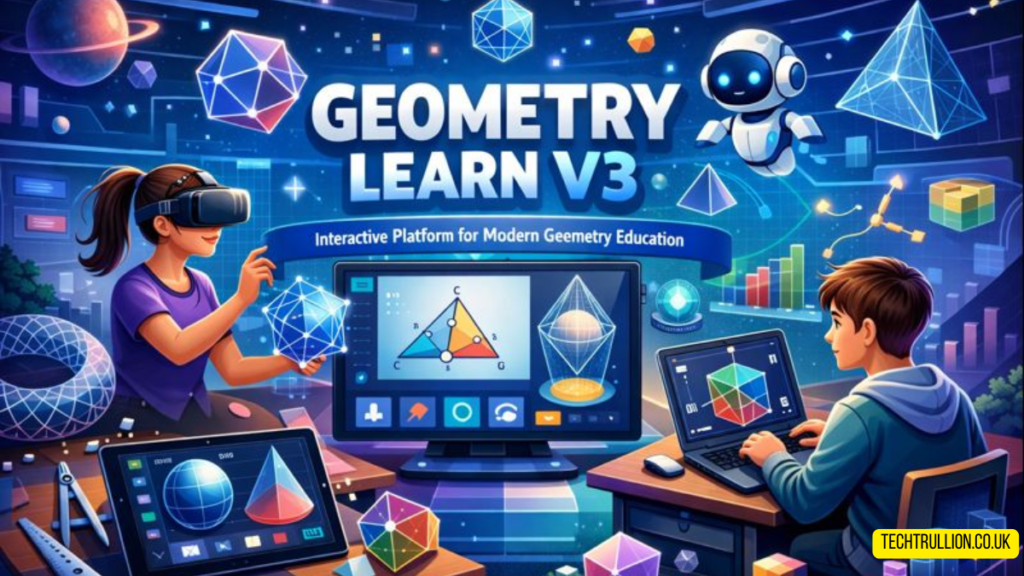

When most people think back to geometry class, the memories are mixed at best. Some remember neat diagrams and satisfying proofs. Others remember confusion, erased notebooks, and the feeling of being lost two steps behind the teacher. I was somewhere in the middle. I understood just enough to pass, but not enough to feel confident. That’s why encountering Geometry Learn V3 felt different from the usual digital learning tools. Instead of trying to impress with flashy features, it quietly focused on making geometry make sense, one idea at a time.
This article isn’t about hype or promises. It’s about what it actually feels like to use a modern geometry learning platform, how it fits into real study habits, and where it genuinely helps—or doesn’t.
Why geometry often feels harder than it should
Geometry has a strange reputation. It’s visual, yet it’s often taught through text-heavy explanations. It’s logical, but many students experience it as memorization. The gap usually comes from how concepts are introduced.
Take angles, for example. On paper, they’re simple: two lines, one vertex. But until you see how angles behave when shapes move or overlap, the idea stays flat. Traditional worksheets rarely solve that problem. They show the result, not the process.
What many learners actually need is time, freedom to explore, and the ability to see mistakes without embarrassment. That’s where interactive environments start to matter.
A calmer, more flexible way to learn geometry
One of the first things I noticed while exploring Geometry Learn V3 was the pacing. Nothing rushes you. You’re not pushed through lessons as if there’s a countdown clock running in the background. Instead, the platform lets you linger on ideas that don’t click right away.
You can focus on a single concept—say, parallel lines—without immediately being dragged into three related theorems. That freedom changes the emotional tone of learning. Geometry stops feeling like a test and starts feeling like a puzzle.
This flexibility is especially useful for independent learners, homeschooling families, and students who need a second explanation that isn’t identical to their textbook.
Learning by doing, not just reading
Visual interaction that actually teaches
Many platforms claim to be “interactive,” but interaction often means clicking “next.” Here, interaction means manipulating shapes, adjusting angles, and watching relationships change in real time. When you drag a vertex and see how side lengths respond, the math becomes less abstract.
This is where Geometry Learn V3 quietly shines. It doesn’t lecture. It lets you experiment, then reflect. You’re encouraged to ask, “What happens if I move this?” instead of “What formula do I need to remember?”
That approach mirrors how people learn outside school. Nobody memorizes how to ride a bike. You wobble, correct, and eventually balance. Geometry, surprisingly, can work the same way.
Mistakes feel less personal
There’s something powerful about being wrong in private. When you experiment on-screen, mistakes don’t feel like failures. They feel like data. You adjust and try again.
That emotional safety matters more than most educators admit. Once fear drops away, curiosity usually takes its place.
How customizable learning paths help different learners
Not everyone studies geometry for the same reason. Some students are preparing for exams. Others want to strengthen weak foundations. A few are simply curious.
Instead of assuming one path fits all, Geometry Learn V3 allows learners to focus on specific topics. You can spend extra time on triangles without touching circles for weeks. Or you can revisit basic shapes even if you’re technically “past” that level.
From experience, this kind of control helps adults returning to education. It also supports students who feel embarrassed asking for repetition in class.
Comparing digital learning to traditional classrooms
This isn’t about replacing teachers. Good teachers do more than software ever will. But digital platforms can fill gaps that classrooms can’t always address.
In a classroom, time is limited. Lessons move forward whether everyone is ready or not. At home, using Geometry Learn V3, time stretches. You pause, replay, and explore without worrying about slowing anyone else down.
That doesn’t mean the platform is perfect. It won’t read your facial expression or notice when you’re mentally exhausted. But for concept reinforcement and independent practice, it offers something classrooms often struggle to provide: patience.
Who benefits most from this kind of platform?
Students who learn visually
If diagrams and movement help ideas stick, this approach feels natural. Seeing relationships change in real time builds intuition faster than static images.
Parents supporting homework
Explaining geometry to a child can be stressful, especially if you learned it decades ago. Having a neutral, interactive tool reduces friction and arguments.
Adults rebuilding math confidence
Many adults quietly believe they’re “bad at math.” Often, they just didn’t learn it in a way that suited them. Exploring Geometry Learn V3 as an adult feels surprisingly respectful. It doesn’t talk down to you.
Limitations worth mentioning
No tool is flawless, and honesty matters. Some learners still prefer written proofs and paper-based problem solving. This platform works best as a complement, not a replacement.
Also, self-paced learning requires self-discipline. Without deadlines, it’s easy to drift. That’s not the platform’s fault, but it’s something users should be aware of.
The quiet value of modern geometry tools
What impressed me most wasn’t any single feature. It was the overall tone. Geometry Learn V3 doesn’t shout about innovation. It simply removes unnecessary obstacles between the learner and the idea.
In a world full of loud educational products, that restraint feels refreshing.
FAQs
What age group is this platform best suited for?
It works well for middle school through early college, but motivated adults can benefit just as much.
Can it replace a school geometry course?
Not entirely. It’s best used alongside formal instruction, homework, or tutoring.
Does it require strong technical skills to use?
No. Basic computer familiarity is enough to get started comfortably.
Is it useful for exam preparation?
Yes, especially for reinforcing weak areas and visualizing concepts that don’t stick through memorization alone.
Can parents use it to help their children learn?
Absolutely. Many parents find it helpful even when they don’t remember geometry clearly themselves.
Conclusion
Learning geometry doesn’t have to feel like a battle between formulas and memory. With the right tools, it can become exploratory, calm, and even satisfying. Geometry Learn V3 offers a thoughtful way to reconnect with mathematical ideas without pressure or noise. It doesn’t promise miracles, but it does something arguably more important: it makes understanding feel possible again.


